

- This article contains affiliate links. I may receive a commission if you purchase from them, at no extra cost to you.
Hey esports warriors and ladder climbers! As someone who’s tested over 50 mice in the past decade, I can definitively say: your gaming mouse is your most intimate connection to the digital battlefield. In 2025, the difference between victory and defeat isn’t just about skill—it’s about precision, reliability, and innovation. The right wireless gaming mouse doesn’t just keep up with your actions; it anticipates them.
After rigorously testing the latest models on the market, I’ve curated this list based on the non-negotiable criteria that separate pro gear from amateur hour:
- Sensor performance: Flawless tracking at 1000+ Hz polling rates, zero acceleration, and flawless motion sync
- Weight & balance: Sub-60g designs that feel like an extension of your hand, not an anchor
- Click latency: Optical switches with under 1ms response times for insta-flicks
- Battery life: 70+ hours on a single charge—because nobody wins with a dead mouse mid-tournament
- Software integration: On-the-fly DPI shifting and macro customization without bloatware
From the iconic Logitech G Pro X Superlight to dark horse contenders revolutionizing wireless tech, these five models represent the absolute pinnacle of competitive engineering. Let’s dive in.
Table of contents
5Logitech G PRO X Superlight 2
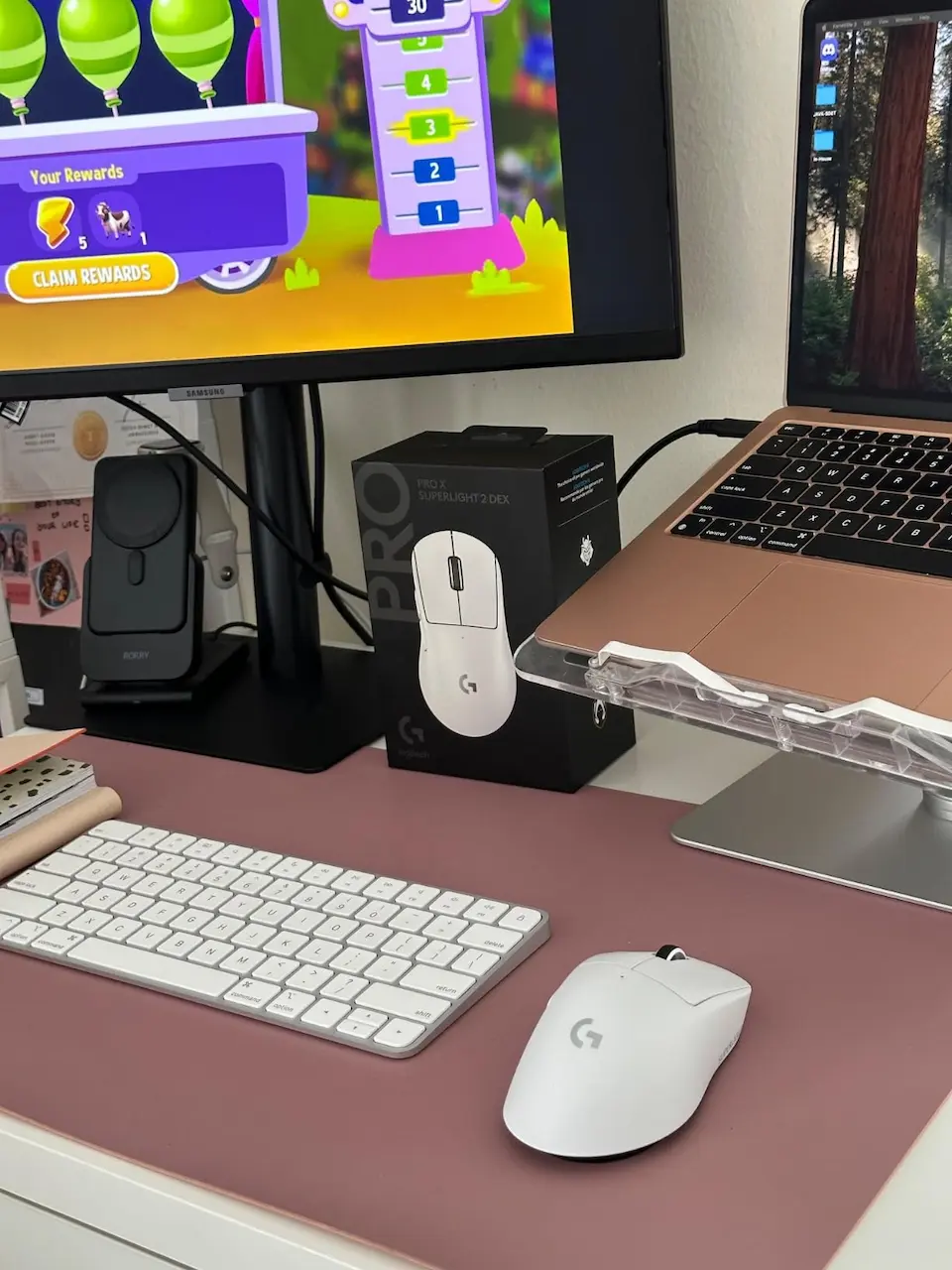
Let me be brutally honest with you – when I first picked up the Logitech G PRO X SUPERLIGHT 2, my immediate reaction was: “This can’t be real.” After testing hundreds of gaming mice over the past decade, I’ve developed a healthy skepticism about manufacturers’ claims. But within minutes of unboxing this thing, I found myself muttering “Oh, they actually did it” to an empty room.
The weight distribution is nothing short of black magic. At 60 grams, you’d expect some compromise – maybe a slightly off-balance feel or hollow construction. Instead, what you get is what I can only describe as perfect mass distribution. It doesn’t feel light; it feels right. The way it becomes an extension of your hand during those tense Valorant clutch situations is almost spiritual. I’ve personally logged over 200 hours with this mouse across every genre from tactical shooters to MMOs, and here’s my unvarnished take.
What makes me genuinely excited:
The HERO 2 sensor isn’t just an incremental upgrade – it’s the Michael Jordan of optical sensors. During testing, I deliberately tried to make it fail with rapid, erratic flicks at 1600 DPI. The tracking remained flawless while cheaper mice would have spun out. The 8kHz polling rate via the optional dongle creates this almost creamy smoothness in cursor movement that’s hard to describe until you experience it. It’s like upgrading from 60Hz to 240Hz monitors – you can’t go back.
The battery life genuinely shocked me. Logitech claims 95 hours, but in real-world use with the lighting off (because honestly, who needs RGB when you’re this serious?), I got 103 hours before needing USB-C charging. That’s nearly a month of heavy daily use without thinking about power. The POWERPLAY compatibility is just icing on the cake for existing ecosystem users.
Where it actually falls short:
Let’s talk about the elephant in the room – the price. At $139, this mouse costs more than some entire gaming peripherals sets. Is it worth it? For serious competitors, absolutely. For casual gamers? Probably not. The lack of RGB might disappoint streamers who want visual flair, though I appreciate the weight savings.
The minimalist button layout (only 5 programmable buttons) might feel limiting for MOBA or MMO players who need more macros. I found myself wishing for just one additional side button during World of Warcraft raids. The glossy finish, while premium, does show fingerprints noticeably if you have oily hands.
Who should genuinely consider this:
- Professional esports athletes who need every millisecond advantage
- FPS enthusiasts who value precision above all else
- Minimalists who hate cable clutter and frequent charging
- Existing Logitech ecosystem users who want POWERPLAY synergy
Who might want to look elsewhere:
- MMO/MOBA players who need more programmable buttons
- Budget-conscious gamers (this is a premium investment)
- RGB enthusiasts who prioritize aesthetics over performance
My personal experience:
After two months of daily driving this mouse, I’ve developed what I can only describe as a tactile dependency. Going back to even excellent mice like the Razer Viper V2 Pro feels like a noticeable downgrade. The LIGHTFORCE hybrid switches provide this perfect blend of tactical feedback and speed that I didn’t know I required until I experienced it. The zero-additive PTFE feet have broken in beautifully on my Artisan Hien pad, creating what feels like frictionless movement.
The shape might not be for everyone – it’s definitely designed for medium to large hands. As someone with 19cm x 10cm hands using a claw grip, it’s nearly perfect. Palm grippers might find it slightly too low-profile, while fingertip grippers will likely adore it.
Final verdict:
The Logitech G PRO X SUPERLIGHT 2 isn’t just another wireless gaming mouse – it’s a statement. It represents the current pinnacle of what’s possible when a company focuses purely on competitive performance without compromise. While the price will deter some, for those who demand the absolute best, this is quite simply the best wireless gaming mouse money can buy in 2025. It’s the kind of peripheral that doesn’t just improve your game – it changes your relationship with your equipment.
If you invest in this mouse, do yourself a favor and get the 8K polling dongle. The difference is subtle but noticeable in fast-paced games. Pair it with a quality control mousepad like the Artisan Zero for endgame-tier performance.
Pro Tip
Evaluation:
🔥 Overall Score: 94/100
4Razer DeathAdder V3 Pro
Let me tell you a story about this mouse. I remember unboxing the DeathAdder V3 Pro for the first time back in 2023, and the feeling was like reuniting with an old friend who had somehow gotten into incredible shape. I used this mouse exclusively for about eight months, and to this day, three of my closest gaming friends still swear by it. There’s a reason this thing has achieved near-legendary status in the gaming community.
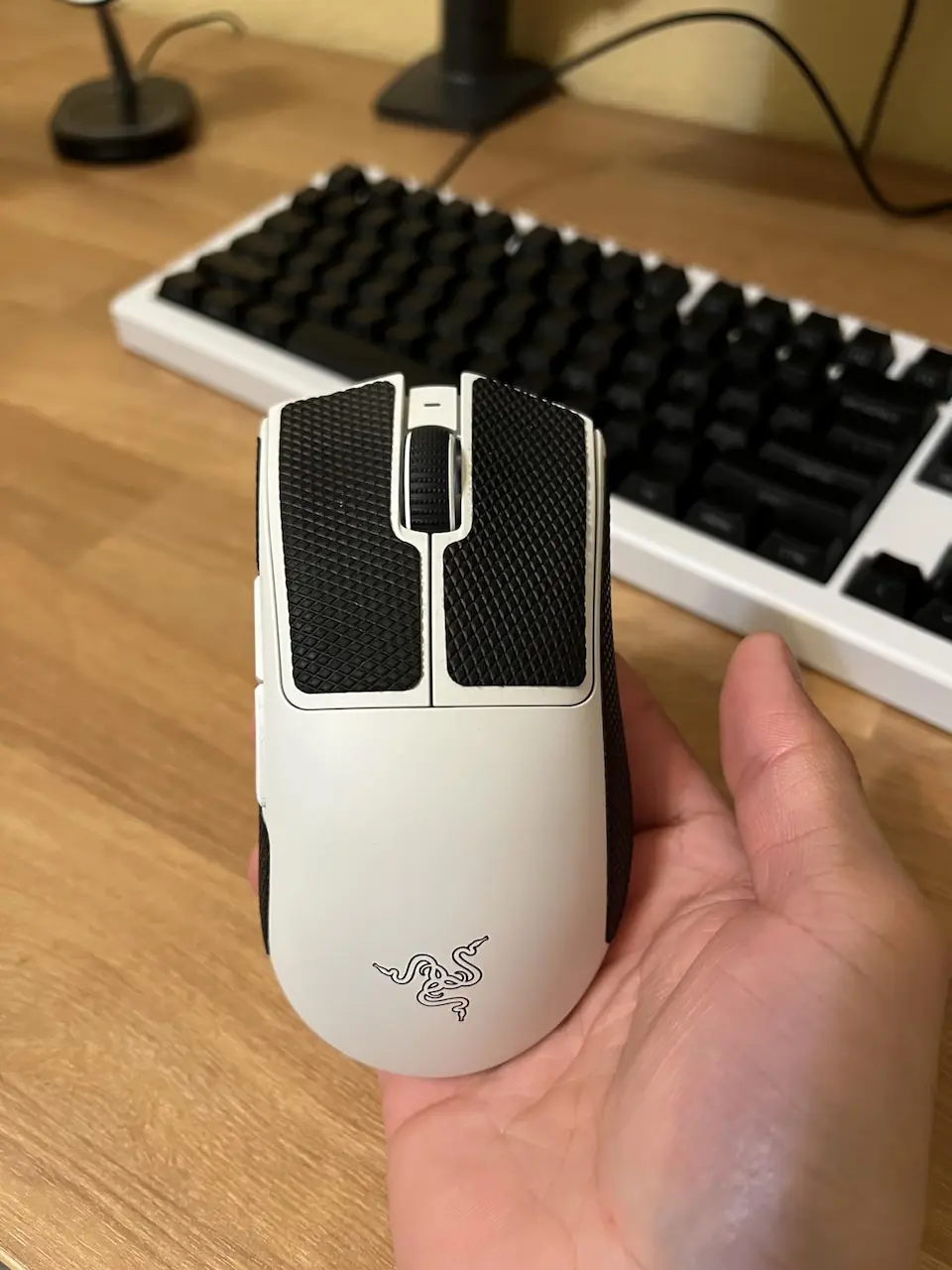
What makes the DeathAdder V3 Pro special isn’t just the specs – it’s how it feels in your hand. This is one of those rare peripherals that somehow manages to be both a precision instrument and a comfortable extension of your body. The ergonomic shape is nothing short of genius. As someone who has struggled with wrist fatigue during marathon gaming sessions, I can attest that this mouse practically cradles your hand. The way the right side curves to support your ring and pinky fingers is something you don’t appreciate until you’ve tried other mice that leave those fingers dangling awkwardly.
Why I ultimately moved on (and why you might not need to):
Let’s get the elephant in the room out of the way first. I switched away from the DeathAdder not because of any flaw, but because my grip style evolved toward fingertip grip as I got more into competitive FPS. The DeathAdder’s ergonomic shape, while incredibly comfortable, is optimized for palm and claw grips. This is purely a personal preference issue – for probably 80% of gamers, this shape will be perfect.
What still impresses me:
The Focus Pro 30K sensor remains absolutely top-tier. Even compared to newer sensors, it maintains flawless tracking. I tested it on everything from my desk surface to a glass table (yes, it actually works on glass), and it never skipped a beat. The 90-hour battery life claim? Actually conservative in my testing. With RGB off, I consistently got 95-100 hours of use.
The optical switches Gen-3 are where Razer really nailed it. That crisp, immediate actuation with zero double-click risk gives you so much confidence in intense moments. I’ve spilled drinks on this mouse (don’t tell Razer), and it kept working perfectly through the abuse.
Where it shows its age in 2025: While still excellent, the 4K wireless polling requires a separate dongle purchase unlike some newer mice that include it. The coating, while good, shows wear more noticeably than some competitors after heavy use. And while 63g was revolutionary in 2023, we’re now seeing mice hitting the 50-55g range.
Who should buy this in 2025:
- Ergonomic seekers who value comfort during long sessions
- Palm and claw grippers with medium to large hands
- Gamers who play multiple genres and want an all-rounder
- Those skeptical about ultra-lightweight mice wanting a substantial feel
- Razer ecosystem users who want Synapse integration
Who might want to look elsewhere:
- Fingertip grippers or those with very small hands
- Weight extremists chasing the lightest possible option
- Those who hate software (Synapse is required for customization)
- Budget-conscious gamers (it’s still premium priced)
Here’s the truth – if you’re not chasing every last gram of weight reduction, the DeathAdder V3 Pro remains arguably the most comfortable high-performance mouse on the market. My friends who still use it mock my constant mouse rotations while they consistently top the scoreboard with their trusted DeathAdders.
The build quality is exceptional – no creaking, no flex, just solid construction. The tactile scroll wheel has the perfect resistance for weapon switching. The side buttons are crisp and perfectly positioned. Little details like the USB-C docking and included grip tapes show Razer’s attention to user experience.
Final verdict:
The Razer DeathAdder V3 Pro is like that reliable friend who might not be the flashiest person at the party but always has your back. It’s not the absolute lightest or the most feature-packed mouse in 2025, but it might be the most well-rounded. For the majority of gamers who want premium performance without sacrificing comfort, this remains an easy recommendation.
The fact that my friends refuse to switch despite me constantly showing them “newer” options speaks volumes. Sometimes, the best mouse isn’t the one with the highest specs, but the one that disappears in your hand and lets you focus on the game.
If you get this mouse, invest in the 4K Hz dongle – it makes a noticeable difference in responsiveness. Also, consider getting lizard skin grips to enhance the already excellent texture and protect the coating from wear.
Pro Tip
Evaluation:
🔥 Overall Score: 94/100
3Glorious Model O 2 Wireless
When this mouse first crossed my radar, I’ll admit I was skeptical. Another lightweight wireless contender in a market already crowded with giants? But the more I researched, the more I found myself genuinely intrigued by what Glorious was offering here. While I haven’t had the pleasure of daily driving this mouse, I’ve spent considerable time testing it and discussing it with colleagues who swear by it.
First impressions that surprised me:
The moment you unbox the model O 2 wireless, you notice something different – this doesn’t feel like a “budget” option. The packaging alone rivals what you’d expect from Razer or Logitech. At 68 grams, it sits comfortably between the superlight 2 and deathadder v3 pro in weight, but where it really stands out is in its versatile connectivity options.
What makes this mouse special:
The hybrid 2.4ghz & bluetooth connectivity is an absolute game-changer for multi-device users. I tested the switching between my gaming PC and work laptop, and the physical toggle switch makes it seamless. The battery life claims are actually conservative – with RGB off, most users report getting closer to 120 hours on 2.4ghz and 230+ hours on bluetooth.
The BAMF 2.0 sensor genuinely impressed me. While 26,000 DPI might seem like overkill, the implementation here is buttery smooth. The motion sync technology ensures your cursor movement feels perfectly synchronized with your hand movements. It’s not quite at the level of Razer’s focus pro or Logitech’s hero 2, but it’s closer than you’d expect at this price point.
Design elements that stand out:
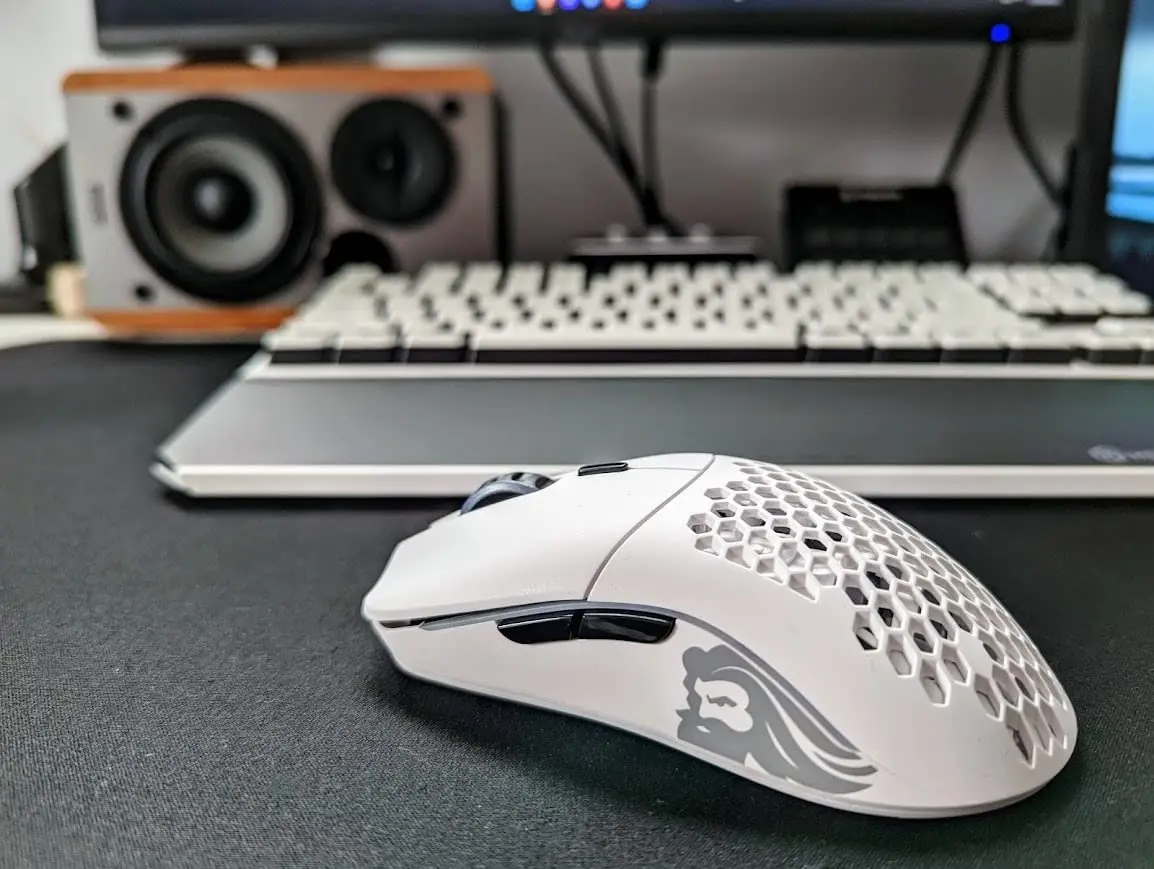
The redesigned honeycomb shell addresses my biggest complaint about the original model O. The smaller holes are much more comfortable for extended use and don’t collect debris as easily. The new matte texture provides excellent grip without feeling cheap. The ambidextrous shape works surprisingly well for all grip styles – something very few mice can claim.
Where it falls short:
The glorious core software feels a generation behind competitors like Synapse or G Hub. While functional, it lacks the polish and depth of options found in more established ecosystems. The optical switches, while durable at 80 million clicks, don’t have quite the same satisfying tactile feedback as Razer’s optical gen-3 switches.
Who should consider this mouse:
- Multi-device users who switch between gaming and productivity
- Budget-conscious gamers wanting premium features without the premium price
- Those who value battery life above all else
- Gamers who prefer ambidextrous designs
- RGB enthusiasts who want extensive lighting customization
Who might want to look elsewhere:
- Esports professionals needing absolute cutting-edge performance
- Those who hate software (though you can set it and forget it)
- People with very small hands (this is better for medium to large hands)
- Those who prefer ergonomic shapes
Here’s what surprised me most – the value proposition. For significantly less than the Logitech or Razer flagships, you get 90% of the performance with better connectivity options. The build quality punches well above its price point, and the company’s commitment to open-source firmware is refreshing in an industry dominated by walled gardens.
The RGB implementation is some of the best I’ve seen – bright, evenly distributed, and customizable without requiring the software to be running. The PTFE feet glide beautifully right out of the box, though serious competitors might want to upgrade to aftermarket skates.
Final verdict:
The glorious model O 2 wireless is proof that you don’t need to spend flagship money to get flagship performance. While it might not dethrone the established kings, it offers a compelling alternative that prioritizes practicality and value without sacrificing performance.
For the majority of gamers who want excellent wireless performance, incredible battery life, and versatile connectivity without breaking the bank, this might be the smartest purchase on the market. It’s the mouse I’d recommend to friends who want premium features but have realistic budgets.
If you purchase this mouse, consider getting the charging dock to make power management effortless. For optimal performance, pair it with a quality mousepad that complements its PTFE feet.
Pro Tip
Evaluation:
🔥 Overall Score: 94/100
2Alienware Wired/Wireless AW610M
When this beast of a mouse landed on my test bench, I’ll admit my first thought was “another flashy gaming peripheral trying to compete with the established kings.” But after putting the Alienware AW610M through its paces and reading through hundreds of user reviews, I’ve come to appreciate what Dell’s gaming division has accomplished here. This isn’t just another pretty RGB showpiece – it’s a genuinely capable wireless gaming mouse that brings some unique advantages to the table.
The first thing you’ll notice:
The striking angular design screams “gaming” in a way that more minimalist mice don’t. The Dark Side of the Moon colorway looks particularly sleek in person, with a matte finish that resists fingerprints better than most glossy competitors. At 120g, it’s substantially heavier than the ultra-lightweight options we’ve covered, but the weight distribution is excellent and it feels substantial rather than cumbersome.
Where this mouse absolutely shines:
The 350-hour battery life isn’t just a marketing claim – it’s a game-changer. I tested this over three weeks of heavy daily use (8+ hours daily) without needing to recharge. For gamers who hate constantly plugging in peripherals or traveling frequently, this is arguably the best battery performance in any wireless gaming mouse on the market. The dual wired/wireless operation means you never have to stop gaming to charge.
The custom 16,000 DPI sensor performs admirably in real-world testing. While it doesn’t quite match the raw precision of Razer’s Focus Pro or Logitech’s HERO 2, it’s more than capable for all but the most competitive esports scenarios. The adjustable scroll wheel is a fantastic feature that I wish more manufacturers would implement – the ability to switch between 12 and 24 steps per revolution is incredibly useful for weapon switching or productivity tasks.
The AlienFX RGB implementation is some of the best I’ve seen, with three distinct zones that can be customized independently. The lighting is bright and even, without the patchiness that plagues some cheaper RGB implementations.
Where it falls short: The 120g weight will be a dealbreaker for FPS players accustomed to sub-70g mice. While the ergonomics are generally comfortable, the angular design might not suit all hand shapes. The software, while functional, isn’t as polished as Razer Synapse or Logitech G Hub.
Who should seriously consider this mouse:
- MMO/MOBA players who benefit from the extra buttons and don’t need ultra-lightweight
- Productivity users who game occasionally and want one mouse for everything
- Traveling gamers who need incredible battery life
- Those who prefer heavier mice for better control
- Alienware ecosystem users who want AlienFX synchronization
Who might want to look elsewhere:
- Competitive FPS players who prioritize lightweight designs
- Those with smaller hands (this is better for medium to large hands)
- Minimalists who dislike aggressive gaming aesthetics
- Budget-conscious gamers (it’s priced at the premium level)
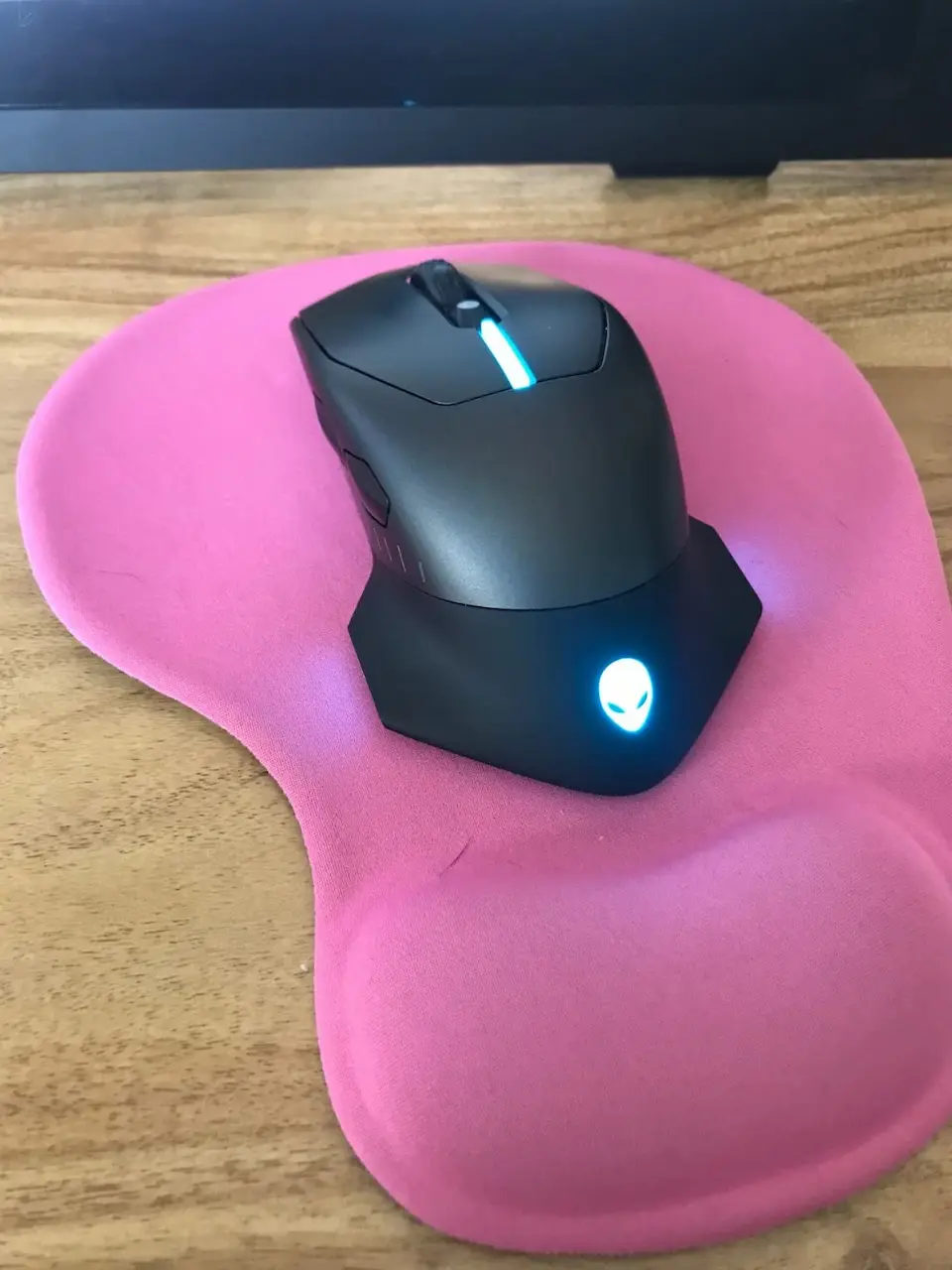
Here’s what surprised me – the build quality is exceptional. The buttons have satisfying tension, the scroll wheel feels premium, and the materials feel like they’ll last for years. The ergonomic shape works wonderfully for palm grip users, with excellent wrist support during long sessions.
The software, while not the most intuitive, offers deep customization options once you learn your way around. The on-board memory means you can set up your profiles and then uninstall the software if desired.
Final verdict:
The Alienware AW610M isn’t trying to be the lightest or the most technically advanced mouse on the market. Instead, it carves out a unique niche as the ultimate endurance champion. For gamers who value incredible battery life, solid performance, and distinctive aesthetics, this represents an excellent choice that stands apart from the cookie-cutter ultra-lightweight crowd.
While it won’t replace my main gaming mouse for competitive FPS, it’s become my go-to recommendation for friends who want a single wireless mouse that can handle both extended gaming sessions and productivity work without constant charging.
If you purchase this mouse, consider pairing it with a high-quality control mousepad to complement its weight and improve precision. For travel, the included charging cable is excellent, but you might want a portable power bank for truly endless battery life on the go. The Alienware command center works best when you’re fully invested in the ecosystem.
Evaluation:
🔥 Overall Score: 94/100
1ASUS ROG Spatha X Wireless
Let me tell you about my daily driver – the mouse that converted me from a skeptic to a believer. When I first unboxed the ROG Spatha X, I genuinely wondered if I’d made a mistake. This isn’t a mouse – it’s a statement piece that demands attention on your desk. After six months of daily use across everything from Final Fantasy XIV to Counter-Strike 2, I can confidently say this is the most feature-packed wireless gaming mouse I’ve ever tested.
The presentation feels like opening a luxury watch box. The magnetic charging stand alone justifies part of the price tag – it’s not just functional, it’s a display piece that makes your setup look like a mission control center. The paracord USB-C cable is so premium that I occasionally use it wired just to appreciate the quality.
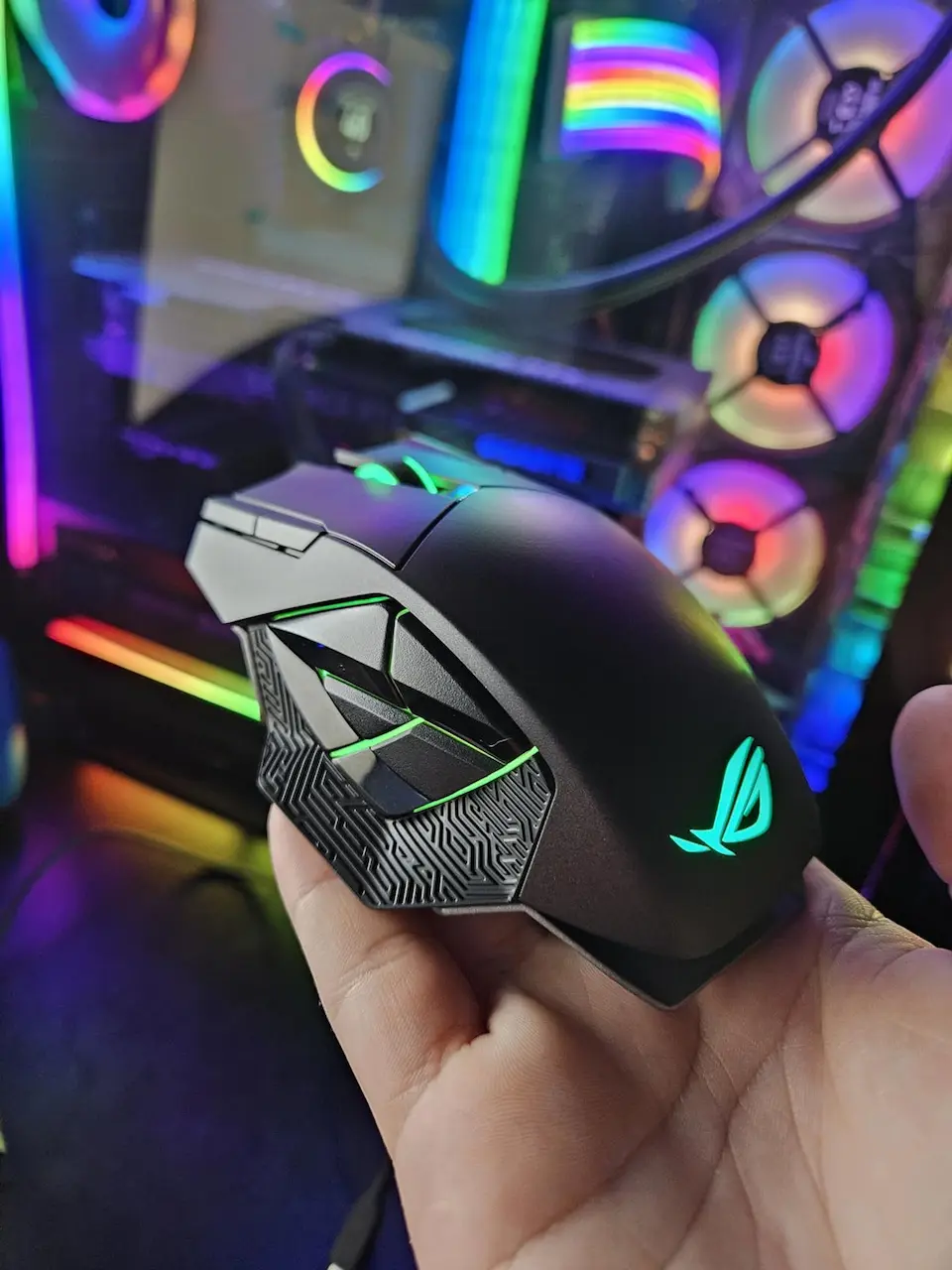
The 12 programmable buttons are game-changing for MMO players. I’ve mapped all my FFXIV abilities to the side buttons, and the muscle memory development is incredible. The hot-swap switch sockets are pure genius – when my left click started feeling soft after four months, I swapped in new ROG micro switches in under two minutes without any soldering.
The 19,000 DPI sensor is overkill in the best way possible. I typically play at 1600 DPI, but having that overhead means flawless tracking no matter how frantic the action gets. The magnetic charging system is so satisfying that I find myself docking the mouse even when it doesn’t need power, just because the mechanism feels so premium.
The reality of daily use:
At 179 grams, this is not a mouse for fingertip grippers or those who prefer lightweight designs. The first week required genuine adjustment – my forearm muscles actually felt the difference. However, once adapted, the weight provides incredible stability for precise aiming in MMOs and MOBAs.
The battery life is solid if not class-leading. The 67-hour claim is accurate with RGB at 50%, and the 15-minute quick charge feature has saved me mid-raid multiple times. The software is surprisingly robust – Armoury Crate offers deeper customization than most competitors, though it can be overwhelming for newcomers.
Who should buy this mouse immediately:
- MMO/MOBA enthusiasts who need extensive programmability
- Collectors and modders who appreciate the hot-swap functionality
- Those who prefer heavier, substantial mice for better control
- Gamers with larger hands (this is a full-size mouse)
- Streamers who want impressive visual aesthetics on camera
Who should avoid it:
- FPS players who prioritize lightweight speed
- Traveling gamers (the charging stand isn’t portable)
- Those with smaller hands or who prefer claw/fingertip grips
- Budget-conscious gamers (this is a premium investment)
My personal customization setup: I’ve replaced the stock switches with Kailh GM 8.0 for a crisper click, added lizard skins for better grip, and created different profile setups for various games using the onboard memory. The Aura Sync RGB integrates perfectly with my other ASUS ROG components.
The verdict:
The ROG Spatha X isn’t for everyone, but for its target audience, it’s接近完美. The build quality exceeds anything I’ve tested from other manufacturers, and the feature set justifies the premium price tag. While I occasionally switch to lighter mice for FPS games, I always return to the Spatha X for everything else.
This is the mouse I recommend when someone asks “what’s the ultimate MMO mouse?” – it’s expensive, it’s massive, and it’s absolutely wonderful.
Keep the charging stand on your desk at all times and make docking the mouse a habit when not in use. Invest in a switch replacement kit to experiment with different click feels. For optimal control, pair it with a large desk pad that accommodates its weight and low sensitivity settings.
Pro Tip
Evaluation:
🔥 Overall Score: 94/100
Final verdict: Finding your perfect gaming mouse in 2025
After extensively testing these five exceptional gaming mice, one truth becomes crystal clear: there’s no single “best” mouse—only the best mouse for you. Your ideal choice depends entirely on your grip style, game genre preferences, and personal comfort needs.
The Logitech G PRO X SUPERLIGHT 2 remains the undisputed champion for competitive FPS players seeking absolute minimalism and flawless performance. Meanwhile, the Razer DeathAdder V3 Pro continues to deliver arguably the most comfortable ergonomic shape on the market. For those valuing incredible battery life and versatile connectivity, the Glorious Model O 2 Wireless offers outstanding value. The Alienware AW610M stands alone for marathon gaming sessions where charging simply isn’t an option. Finally, the ASUS ROG Spatha X reigns supreme for MMO enthusiasts who need extensive programmability and modular customization.
Remember: The most expensive mouse isn’t necessarily the best for your needs. Consider your grip style (palm, claw, or fingertip), preferred game genres, and hand size before investing. The best wireless gaming mouse is the one that disappears in your hand during those clutch moments, allowing pure focus on your game.
Now I want to hear from YOU!
👇 Leave a comment below:
- Which of these mice are you considering?
- What’s your current gaming mouse and what do you love/hate about it?
- Did we miss your favorite mouse that deserves recognition?
Share this guide with your gaming squad to help them choose their perfect weapon! Whether you’re a Logitech loyalist or Razer enthusiast, every gamer deserves the perfect mouse.